
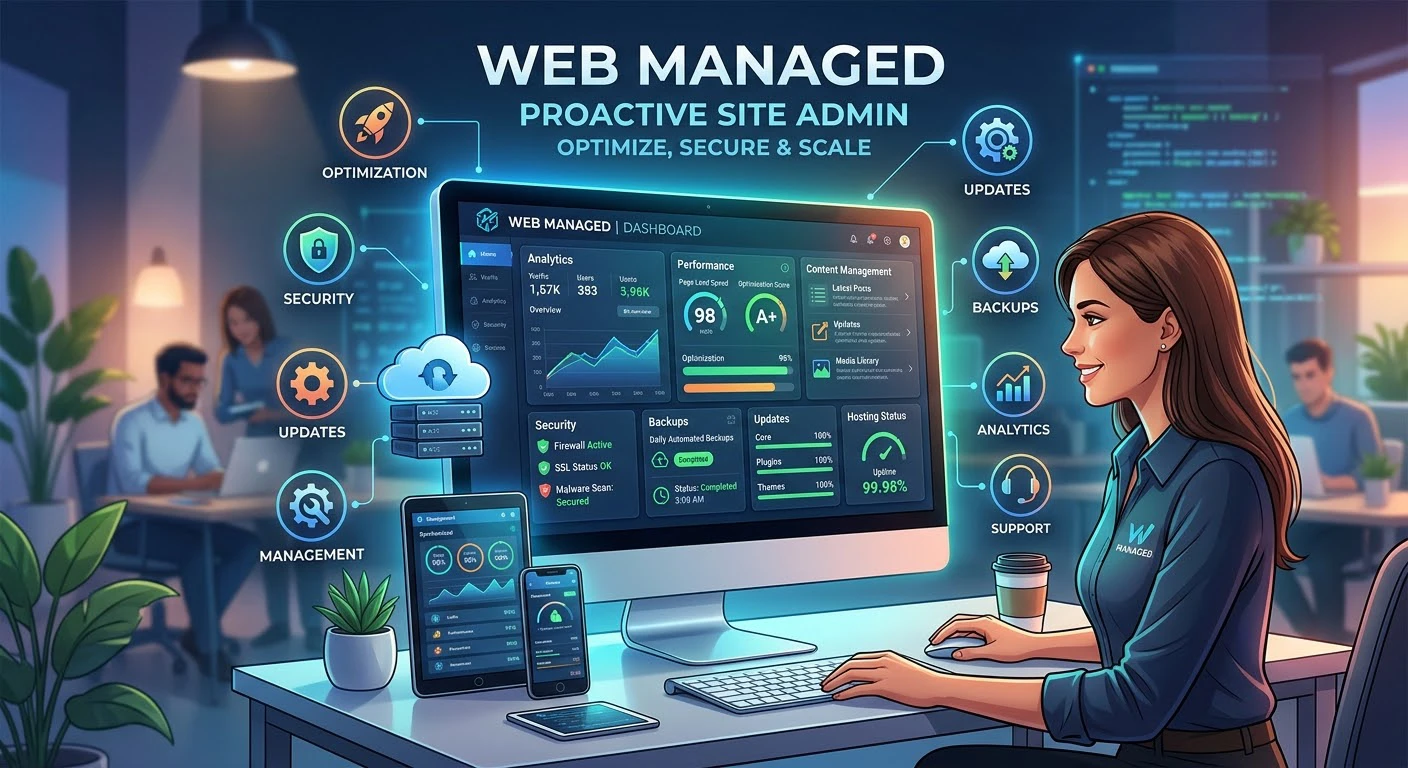
As soon as most businesses hit a certain point, maintaining a website becomes more of a job than a part-time task. There are so many updates that accumulate, there’s a plugin that causes an issue, the traffic keeps increasing and no one in the team has the time — or really the skills — to follow it down. Typically, this is where web managed solutions come into the picture.
A web management team handles your website professionally, saving you from internal issues. This guide covers its services, compares DIY management, and explains when your business needs professional support.
The Meaning of Web Managed
Managed web hosting – server setup, monitoring website up-time, and infrastructure managed by the hosting company instead of the website owner
Website maintenance services covers regular updates, regular backups, bug fix, and so on.
A website security management system that includes firewalls, malware scanning and management, SSL management and incident management.
Performance management on websites (speed, caching, load handling).
Find reliable web support services and contact a real person when problems arise, without navigating confusing phone numbers or voicemail systems.
Some providers may have everything under one roof, while others may only provide hosting services, or only maintenance. The first real decision is to know which pieces you really need to deal with as opposed to which you already do well internally.
Why Businesses Choose Managed Website Hosting?
No one ever gets into managed website hosting for the heck of it — most of the time, it’s a solution to a problem. The most common triggers:
- No one to dedicate to technical work. Small and medium sized businesses may not have a person who may have the job description of just “keeping the website up and running”.
- Recurring downtime or slow performance that is impacting sales, leads or credibility.
- Security incidents – hacked site, flagged domain, or the compliance requirement you cannot meet using your internal resources.
- Growth exceeding the infrastructure (traffic or transaction volume) that the current hosting has been designed for.
- Time cost. No matter how well your own employees can do it, the time it takes you to maintain it is time that you are not spending on business.
The quality comes from consistent, scheduled maintenance, not just fixing problems after something breaks.
Managed vs. Standard Hosting
The difference between managed and unmanaged hosting is who is responsible when something needs attention. Standard hosting gives you space on a server, and you configure it, secure it and troubleshoot it yourself. With managed cloud or managed server hosting, the provider takes on that responsibility.
Standard Hosting
– Server responsibility: you
– Security patching: manual
– Uptime monitoring: usually self-set-up.
– Product installation and maintenance: intermediate, handled through support tickets.
– Best for: technical teams that want ultimate contro
Managed Hosting
– Server responsibility: your provider.
– Security patching: applied automatically.
– Uptime monitoring: included, 24/7
– Product installation and maintenance: direct support for issues.
– Best for: businesses that want reliability without being overloaded.
There’s no “best” option. It depends on whether you value control or convenience more, and on your own skill level for using that control.
WordPress Management
WordPress powers much of the web, and specialized services help businesses manage their WordPress websites. A plugin-based system makes the platform susceptible to compatibility issues, outdated plugin vulnerabilities, and slow performance from poorly optimized themes.
WordPress management uses a staging environment to test updates, vet plugins, and optimize caching and database queries.
Security
Website security often gets overlooked until an attack puts the site at risk. A managed security approach will likely involve:
- Firewall solutions that prevent malicious activity from entering the web application.
- Scheduled malware scanning & removal.
- Licensing and managing SSL certificates.
- To protect against login attempts, two-factor authentication, rate limiting, and login attempts are implemented.
- If it does make it through, incident response
Spending a little on prevention costs far less than recovering lost traffic, reputation, and money after a website hack.
Managed Web Development
Managed services don’t just mean keeping the lights on; many service providers also have managed web development services available for continuous feature development, redesigns or integrations. A website that only gets maintenance falls behind as competitors improve their design and functionality.
This is where good website support services come into play: They take care of regular upkeep and of the occasional larger project as well, so that businesses don’t have to choose between the two options of “keep it running” or “make it better.
How to Choose?
When choosing a managed provider, here are a few questions to ask yourself:
- What does it include, and what is an extra?
- If something breaks, what’s the answer time?
- Are they experts on your website (WordPress, eCommerce, custom-built)?
- How do they perform backups (how often, how quickly can they be restored)?
- Are there any real client references or uptime records?
If you don’t have a clear answer to any of these, then it’s a red flag. If a provider is sure of the process, they should be able to provide details rather than just reassure you in general.
FAQs
What is the difference between Managed Hosting and Unmanaged Hosting?
Managed hosting involves constant upkeep of servers, security and support that you are getting from the hosting provider. Unmanaged hosting provides you with the hardware but you must do the configuration and maintenance.
Is managed web hosting a good choice for a small business?
In many cases, yes, particularly if there aren’t dedicated tech personnel. It typically comes at a lower expense than the time and risk of doing it yourself, of security, updates and downtime.
Is the design and development part of website management?
This relies on the provider. Some are just about maintenance and security issues and others provide managed web development for redesigns, features, and integrations.
What is the best frequency for a website update and maintenance?
Update core software and plugins weekly or when security patches are available. Back up data daily or before major changes.
If my site is already hacked, can managed services come to the rescue?
Yes, most website security management providers have incident response and cleanup as a part of (or as an addition to) their regular packages.
Final Thoughts
Being web managed is not about losing control of your own website, it’s about ensuring the mere fundamentals of your website (security, uptime, updates, performance) occur on a regular basis, rather than as a response to an issue. The compromise, typically, is worth it for businesses that don’t have the bandwidth in-house to do it that well: less emergencies, more consistent performance, and more time spent on growing the business rather than babysitting the back of the house.
For Hassle-free Web Managed Hosting Email us: admin@hostyd.com