
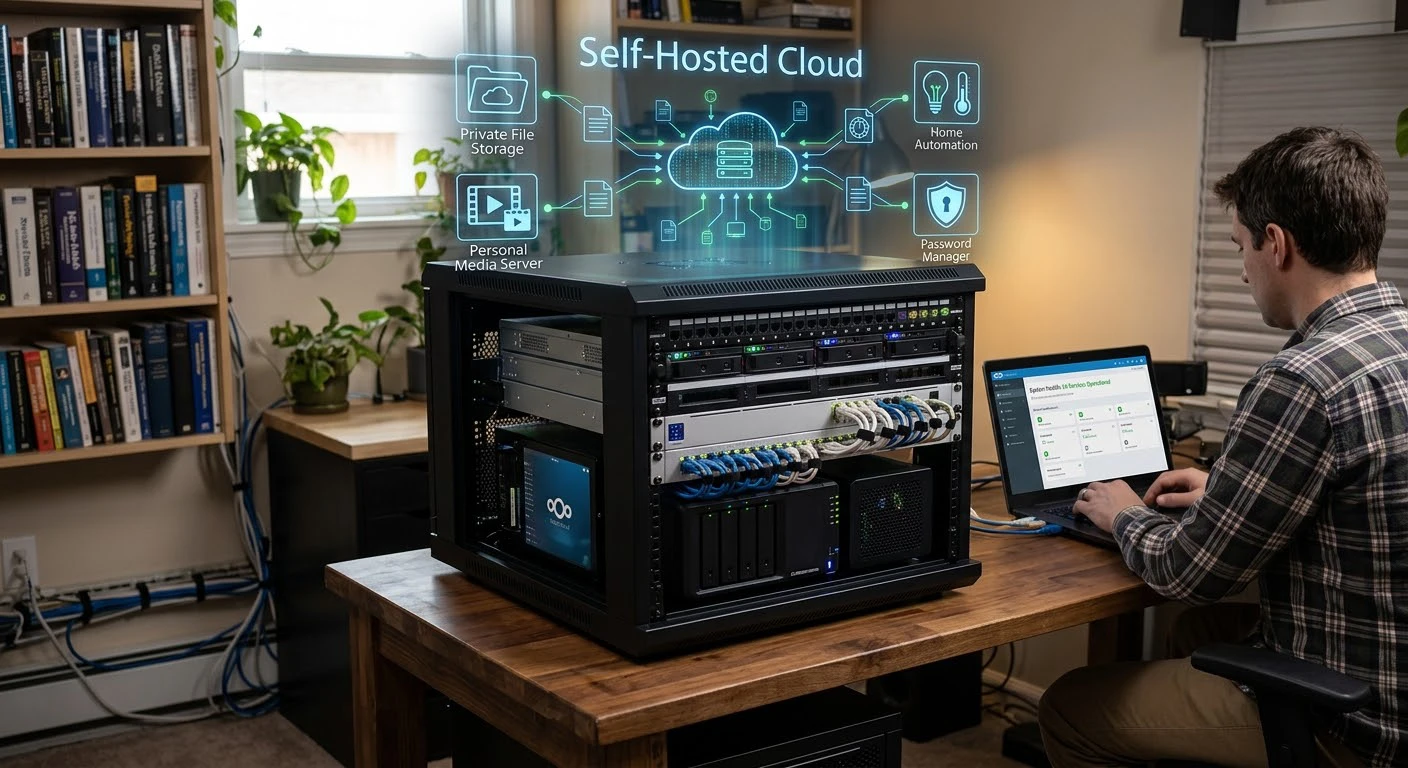
Increasingly, businesses and individuals are moving away from public cloud and managing their own infrastructure. The change is called a self hosted cloud. A cloud system runs on hardware you own or fully control, giving you control over your data, costs, and configuration instead of relying on third-party providers like AWS or Google Cloud.
This guide explains what self hosted cloud hosting is, how it differs from traditional public cloud hosting, the tools that make cloud hosting possible, and whether it’s right for you.
What is a Self Hosted Cloud?
A self hosted cloud is a cloud setup that you deploy and manage, as opposed to subscribing to a service from a public cloud vendor. You can run a cloud server at home, in your office, or on virtualization software in your data center.
Ownership is the core concept of self hosting. Your own cloud keeps data within your infrastructure and lets you control security, backups, scaling, and configuration.
This is not the same as self hosting on a cloud service provided by a managed vendor who offers a private cloud service. A true self hosted setup means that you have complete control over the servers, storage and networking.
Self Hosted vs Public vs Private Cloud
It assists in differentiating 3 terms that are easily confused:
Public cloud: A cloud that is shared and owned by a third-party (AWS, Azure, Google Cloud). Resources become available on demand.
If you’re wondering how big providers work, here’s a simple explanation of AWS vs Amazon.
Private cloud hosting: A dedicated infrastructure that runs on-premises or through a provider and serves only one organization.
Self-hosted cloud: A type of private cloud infrastructure where you own, configure, and maintain the software and hardware stack. People sometimes call it an on-premises cloud.
Basically, it is private clouds, not all private clouds are self hosted.
How It Works?
You typically need to establish a few layers to set up self-managed cloud infrastructure:
Hardware: Single machines, home lab, etc., rack of servers in data center.
Virtualization or containerization: Utilizing virtualization or containerization technologies, such as Proxmox, VMware, or Docker, enables multiple isolated environments to run on the same hardware.
For larger deployments, self hosted kubernetes clusters automatically scale and fail over containerized workloads.
Self hosted data storage: TrueNAS, Nextcloud, or MinIO can be used for self hosted data storage across drives or networked storage arrays.
Networking and access: VPNs, reverse proxies and firewalls manage secure remote connections to your self managed cloud platform.
These layers create a complete cloud platform for hosting websites, apps, backups, and business services.
The self hosted infrastructure options are: INTERNAL LINK: /kubernetes-vs-docker-guide “Kubernetes vs Docker for self hosted infrastructure” Docker or Kubernetes.
Popular Self Hosted Cloud Solutions
There’s a vast open source cloud platform tool community dedicated to self hosting:
Nextcloud: an alternative to Google Drive or Dropbox to sync and store files, an alternative SaaS.
Proxmox VE: Virtualization platform to run self hosted virtual machines and containers.
TrueNAS: a self hosted storage and Network Attached Storage (NAS) operating system.
Kubernetes / K3s: Orchestrate a self hosted applications platform at scale with lightweight orchestration.
CasaOS / Yunohost: Easy to use dashboards for the management of self hosted services on a home server.
These tools manage cloud infrastructure, from file storage to complete enterprise cloud environments.
Advantages of a Self Hosted Cloud
1. Full Data Ownership
Self hosted infrastructure means that sensitive data has no exposure on third party servers as everything is on your own infrastructure.
2. Lower Long-Term Costs
The initial investment may be greater, but self-hosted cloud solutions can secure your business more savings in the long run than public cloud hosting solutions.
3. Customization and Control
You are not constrained by a provider’s offering of software, security policies, etc.
4. Privacy and Compliance
A secure cloud solution simplifies compliance by keeping data in a controlled environment.
5. No Vendor Lock-In
Self hosted applications and platforms are usually open source, which means that you’re not dependent on a single provider’s ecosystem or price changes.
Challenges of Self Hosting
Self hosting is not for everybody. Common challenges include:
No vendor support team: it is your responsibility to keep up to date, secure and to fix hardware failures.
Initial hardware expenses: Businesses can scale their cloud infrastructure by purchasing servers, storage, and network devices.
Technical skills: Backup, monitoring, and self hosted Kubernetes clusters are some of the technical tasks of managing cloud servers, which require continuous technical skills.
Uptime and redundancy: Achieving high availability requires careful planning if there is no global provider’s redundancy.
Who Should Use It?
For the following scenarios a self hosted cloud makes the most sense:
- People who care about their privacy and wish to have complete control over their data and self hosted storage.
- Small enterprises aiming to cut down on on-going expenses from public cloud hosting solutions.
- Developers, hobbyists, and learners build or test cloud platforms for educational purposes.
- Businesses that need a cloud for compliance for regulatory reasons – an enterprise self-hosted cloud for compliance needs.
- Businesses that have on-site IT staff to manage their cloud infrastructure.Businesses that have internal IT resources that can interface with the cloud.
Tips to Secure
These are some tips on how to create a secure self hosted cloud.
- Implement and use robust authentication and two factor authentication if available.
- Update all software that is self hosted with the latest security patch.
- Schedule backups to locations other than local drives.
- Avoid exposing services directly to the internet, use a VPN or reverse proxy.
- Check logs on the system periodically for suspicious activity.
Frequently Asked Questions
What is the difference between self-hosted and private cloud?
A third-party provider can offer a private cloud on dedicated infrastructure, or you can host it yourself and own and manage the hardware.
Is a self hosted cloud more affordable than public cloud services?
This is relative to scale. Self-hosted cloud hosting can reduce recurring cloud costs, but it requires investing in hardware and maintaining the infrastructure.
Do you need coding skills to set up your own cloud?
Basic technical knowledge helps, but platforms like Nextcloud and CasaOS offer user-friendly dashboards that require minimal coding.
Is it possible to have a self hosted cloud at home?
Yes. It’s not uncommon to have a self-hosted cloud storage and/or services running on a home server, mini PC or even a Raspberry Pi.
Is Self Hosted Kubernetes Hard to Manage?
Although Kubernetes takes time to learn, lightweight options like K3s simplify setup for small-scale infrastructure.
Final Thoughts
For those seeking more control, privacy, and cost-effective solutions than with public cloud hosting, a self hosted cloud is a promising option. Although it requires more hands-on management than SaaS products, open-source tools and a growing cloud market make it easier to manage your own cloud infrastructure, from a personal file server to a full enterprise-level solution.