
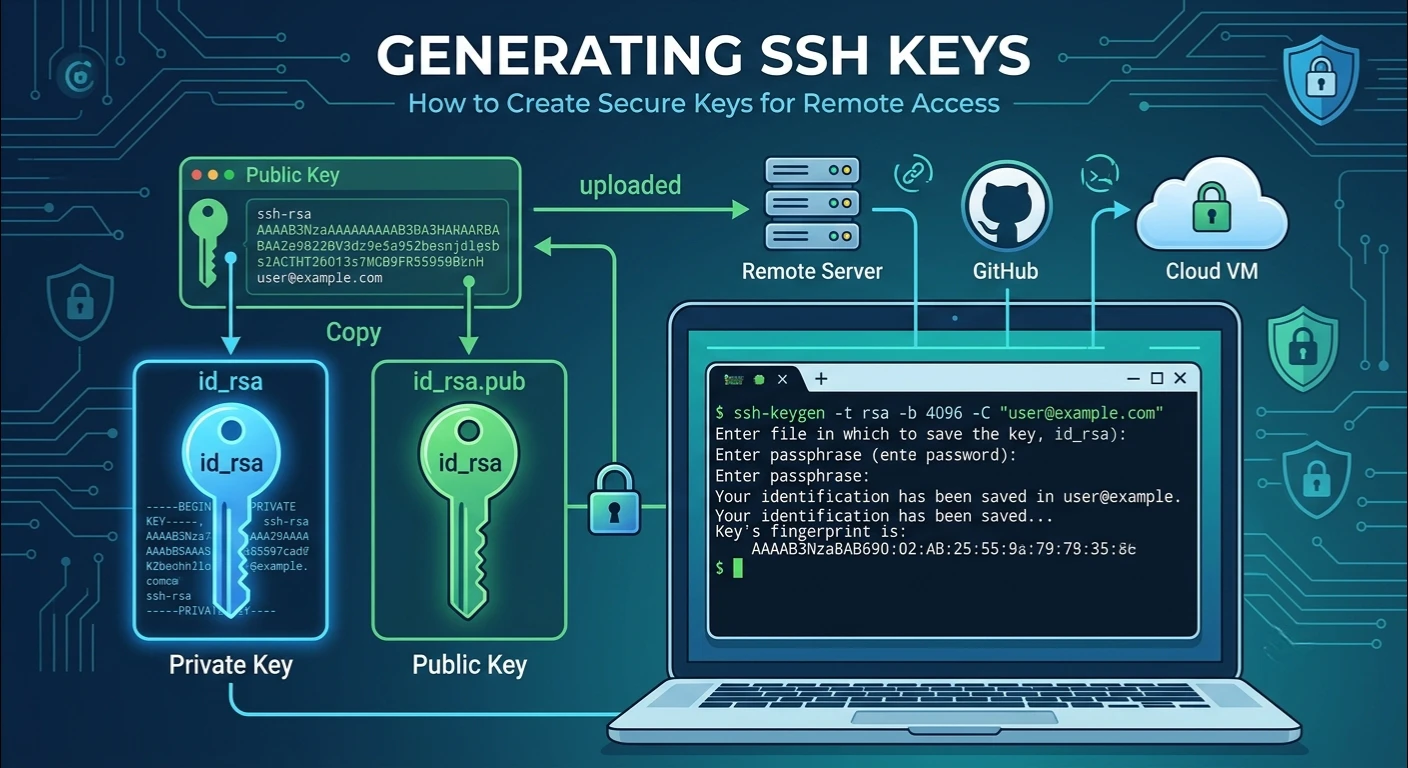
Knowing how to create an ssh key is crucial if you work with cloud platforms, manage servers or have to work with git repositories. SSH keys offer a safe and effective method to log in to other systems without using a conventional password. No matter if you are a developer, a system administrator, or a beginner, knowing how to make key ssh could be extremely helpful for security and convenience.
The correct implementation of an SSH key system allows for passwordless login, more secure server authentication and a more secure way to log into remote machines. In this way, users don’t have to type their password again and again, but can use simple, yet secure, cryptographic authentication.
So in this tutorial, you will learn about everything related to generating key ssh, from the types of keys to the methods of generating and installing them, as well as best practices for maintaining high security in the usage of SSH.
What is SSH and Why Is It Important?
Secure Shell (SSH) is a protocol that provides encrypted communication between a client and remote server. SSH securely transmits data and provides command-line access to remote systems.
If you use key ssh, you will create a unique set of cryptographic credentials that will replace the password authentication. This approach offers more security from brute force attacks, phishing attacks and password leakage.
SSH keys have become the preferred way to manage ssh access, and are also much safer and more efficient to use than ssh passwords.
SSH Key Pairs Explained
It’s important to understand how an ssh key pair works before you generate key ssh.
An SSH key pair is made up of two items:
Public SSH Key
You can deploy the public SSH key to servers, cloud platforms, and Git providers. The remote system uses it to verify your identity.
Private SSH Key
The private ssh key is stored on your local computer and must not be given to anyone. It is your personal, secure credential for authentication.
Combine these two keys to secure remote server access and connection management.
Types of SSH Keys
When creating key ssh, you will get two popular options for key types.
RSA SSH Key
The rsa ssh key has been established for many years and is supported by most of the operating systems and servers.
Benefits include:
- Excellent compatibility
- Reliable performance
- Works with existing systems.Can be used with legacy systems.
ed25519 SSH Key
An alternative, newer, and more secure type of the ssh key is the ed25519 version. It offers greater security with reduced key size.
Benefits include:
- Faster authentication
- Better security
- Smaller key files
- This is recommended for today’s systems.
Use: To create an ed25519 key:
ssh-keygen -t ed25519 -C “your_email@example.com”
When users generate key ssh today, Ed25519 is the preferred choice for most users.
How to Generate Key SSH on Linux?
All Linux systems come with OpenSSH preinstalled, which makes generating public/private key pairs easy.
In the terminal, type the command:
ssh-keygen -t ed25519 -C “your_email@example.com”
Alternatively, for RSA:
ssh-keygen -t rsa -b 4096 -C “your_email@example.com”
The ssh-keygen command will ask you for:
- A file location
- A passphrase
- Verification of the passphrase
Your generated linux ssh key files will be found in the .ssh folder.
If you are using Ubuntu you can do the same as the process is the same, and you can create an ubuntu ssh key to access your server securely.
Generate a Key for SSH Using MacOS X
The Apple devices support OpenSSH, so it is possible to create the key ssh without installing anything else.
Open Terminal and then run:
ssh-keygen -t ed25519 -C “your_email@example.com”
This generates a mac ssh key that can be used for servers, Git repositories and cloud services.
Click on the Eye icon to enter a passphrase, and then click on the lock icon to save it to the macOS Keychain:
ssh-add –apple-use-keychain ~/.ssh/id_ed25519
This renders authentication easier in the future.
How To Install SSH Keys on a Remote Server?
When generating key ssh, the next step is to upload your public key to your server.
The simplest way is:
ssh-copy-id username@server-ip
This command copies the public ssh key (which is typically found in the .ssh file on the local system) into the server’s authorized keys file.
If there is no command use:
cat ~/.ssh/id_ed25519.pub | ssh username@server-ip “mkdir -p ~/.ssh && cat >> ~/.ssh/authorized_keys”
Once set up, you can log in to the server from the SSH console without logging in with a password.
This significantly enhances the security of ssh authentication and the server.
Ease Of Management: The Change to SSH
Setting up SSH can save time if you have multiple servers.
Make or modify the configuration file:
~/.ssh/config
Example:
Host production
HostName 192.168.1.100
User ubuntu
IdentityFile ~/.ssh/id_ed25519
This configuration of ssh lets you connect easily, simply type:
ssh production
Rather than typing in the complete server address each time.
Using SSH Keys with Git Platforms
A large number of developers create key ssh just for Git repositories.
Using SSH keys doesn’t require users to enter usernames and passwords to push or pull code.
GitHub SSH Key
When setting up a github ssh key:
- Create ssh key pair:
- Put your public key into the key ring.
- Open GitHub Settings.
- Click on SSH and GPG Keys.
- Add the new key.
- Test the connection.
Example:
ssh -T git@github.com
GitLab SSH Key
Creating a gitlab ssh key is similar.
You can just copy and paste your public key into the SSH Keys section of your account at GitLab.
Benefits of Passwordless Login
The primary motivation for creating key ssh is the ability to log in to it without using a password.
Advantages include:
- Faster access
- Better security
- Lower susceptibility to password theft.Less chance of password being stolen.
- Easier automation
- Improved server management
SSH keys are used by organizations all around the world since they offer more powerful ssh credentials than passwords.
Conclusion
Anyone who has ever worked with a server, cloud platform, software development etc. will need to learn how to create key ssh. SSH keys are used to ensure secure authentication without the need for repeated passwords, enhancing the security of the overall system.
If you require a linux ssh key, Ubuntu ssh key, mac ssh key or windows ssh key, the procedure is simple and extremely beneficial. It is possible to have safe and efficient remote access to a server for years by employing modern key types like the ed25519 ssh key, setting up the proper authentication, and working on security best practices.