
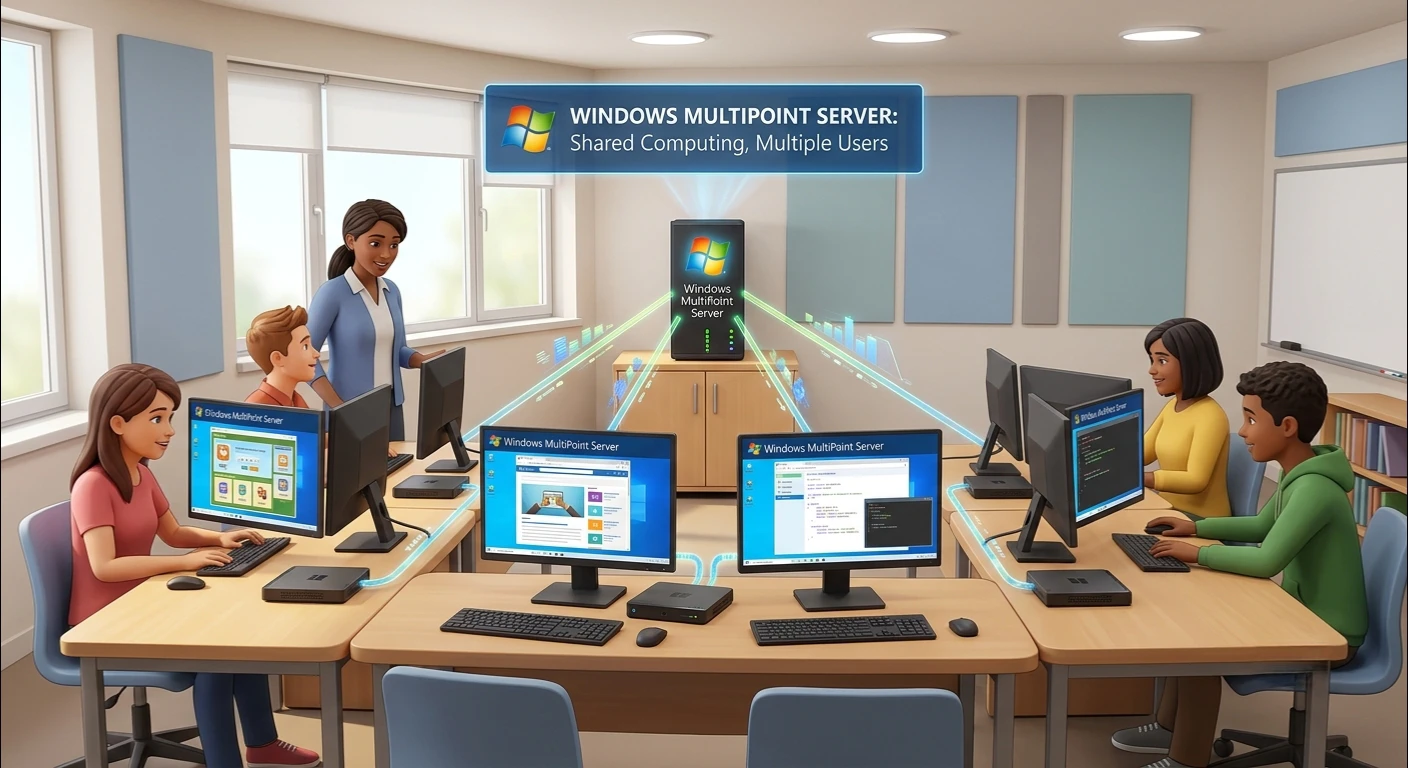
Windows MultiPoint Server lets multiple users work on one computer at the same time. The system enables a single server to provide service to multiple independent workstations rather than there being one server for each user. Widely adopted in the education system, training centres and small organisations where cost-effectiveness and centralised control are important.
Windows MultiPoint Server offers a practical solution for managing multiple users with a single infrastructure without compromising performance, security or ease of administration, all while demand for shared computing environments continues to rise.
What is a Windows MultiPoint server?
Windows MultiPoint Server is an application specializing in providing multiple user support on a single physical computer. Users log in via a station (monitor, keyboard and mouse) and receive their own Windows session.
This is one configuration of multi user computing system technologies, which enables the efficient consumption of resources by multiple users without any hindrance to the other user’s work.
Well suited for situations where several people must use the computer but finances are restricted.
Windows MultiPoint Server Features
The features of Windows MultiPoint Server are optimized for performance, scalability and management. It has a number of features which are significant, such as:
- It has the capability to support multiple user stations per server.
- It is a login screen where no user data is shared with others.
- Centralized system administration
- Quick access and control of users.
- Low hardware cost than traditional setups.Low hardware cost than traditional setup.
- To integrate with existing Windows environments.
- Satisfactory user isolation security measures.
These functions make it a perfect choice for organizations in need of a dependable shared computer technology.
Windows Server MultiPoint Services Overview
Windows Server MultiPoint Services add multi-user access to the capabilities of the basic Windows Server editions. It recreates a single server into a multi-user platform where several users can logon and work separately.
This service is particularly helpful in:
- Schools and educational labs
- Training institutes
- Small business environments
- Community learning centers
Using MultiPoint Services, organizations can save on hardware expenses without sacrificing user access to the desktops.
Take a Look at the Multi-User Computing System
In a multi-user computation system, many users can access and use the same computer system at once. While all the users are attached to the same machine, each user has his own environment.
This is done in Windows MultiPoint Server by assigning a different session to each station that is connected. This ensures free users cannot affect other free users’ data or applications, thus maximizing efficiency and security.
This is a very successful model in situations where the computing resources are restricted, but the user demand is high.
The Benefits of Shared Computer Technology
Windows MultiPoint Server is based on shared computer technology. Rather than have many computers in use, a single computer is used for all processing.
Key benefits include:
- Reduced hardware costs
- Lower electricity consumption
- The ability to easily maintain and upgrade.
- Centralized software installation
- Efficient space utilization
This is particularly helpful in the development world and educational environments where resources are limited and computing is required.
The Integration of Remote Desktop Services
Windows MultiPoint Server simplifies access to individual sessions from remote locations or through connected stations, closely integrating with remote desktop services.
This integration helps in:
- An efficient management of multiple sessions.
- Making it possible for users to access it remotely.
- Promote flexible working arrangements
- Improving server control and monitoring;
When having to share a machine, users will enjoy a smooth and responsive experience thanks to the remote desktop.
Understands the Thin Client Environment
A thin client is a system in which a light-weight device communicates with a central machine for processing. This architecture works well with Windows MultiPoint Server.
Thin clients serve as access points to the main server, rather than as a full-featured computer. This lowers the cost of hardware, and makes IT management easier.
Advantages include:
- Minimal hardware requirements
- Centralized processing power
- Easier system upgrades
- Improved security and control
Centralized Server Management
Centralized Server Management is one of the best features of Windows MultiPoint Server. All user accounts, applications and system settings can be managed from a single dashboard.
This includes:
- Adding or removing users.
- Installing software for all stations
- Monitoring system performance
- Managing security policies
Centralized control eliminates administrative tasks and makes the system perform in the same way for all users.
Windows Multi-User Access System
Multi User access for Windows allows multiple users to access the same computer at the same time, without interfering with one another. Every user has his/her own login session, files, applications and settings.
This is ideal for:
- Computer labs
- Training environments
- Office shared workstations
It provides privacy, stability and efficiency in shared settings.
Educational Computer Labs Solution
In an educational computer lab solution, one of the most popular applications of Windows MultiPoint Server is to serve as a floppy disk server. Multiple student stations can be connected to a single server in a school or college.
The advantages of education benefit are:
- Reduce the $ per student per station.
- Easy teacher monitoring
- Simplified IT maintenance
- Ensuring equal opportunities for all pupils
- Centralized learning environment
This is a great solution for institutions seeking to upgrade their IT systems.
The Multi-Seat Operating System Concept is a New Idea
A multi-seat operating system enables multiple users to operate multiple copies of a specific computer application simultaneously. One of the best examples of this is Windows MultiPoint Server.
Each “seat” is a user station that has its own input devices and display and is connected to the main system. This configuration will help to use the resources efficiently and provide smooth operation for everyone.
The Pros of Windows MultiPoint Server
Some of the pros are:
- Cost-effective deployment
- Easy to set up and maintain.
- Scalable architecture
- Secure user isolation
- Perfect for learning and training settings.
- Reduced energy consumption
This helps organizations to optimize their IT infrastructure and makes it a viable option to consider these benefits.
Limitations to Consider
Windows MultiPoint Server is a powerful solution, but there are some limitations:
- Needs a powerful mainframe computer
- The performance is dependent on the server hardware.
- Not as flexible as full individual PCs
- Avoid using for big computation per user.
Knowing these limitations can aid in deployment planning.
Conclusion
Windows MultiPoint Server is a highly efficient solution for organizations that need multi-user access on a budget. By combining Windows MultiPoint Server features, Windows Server MultiPoint Services, and centralized server management, it creates a powerful ecosystem for shared computing.
Whether used in schools, training centers, or small businesses, it provides a cost-effective and scalable way to deliver computing resources to multiple users at once.
With technologies like remote desktop services, thin client environment, and multi-user computing system, it continues to be a valuable approach for modern IT infrastructure planning.