
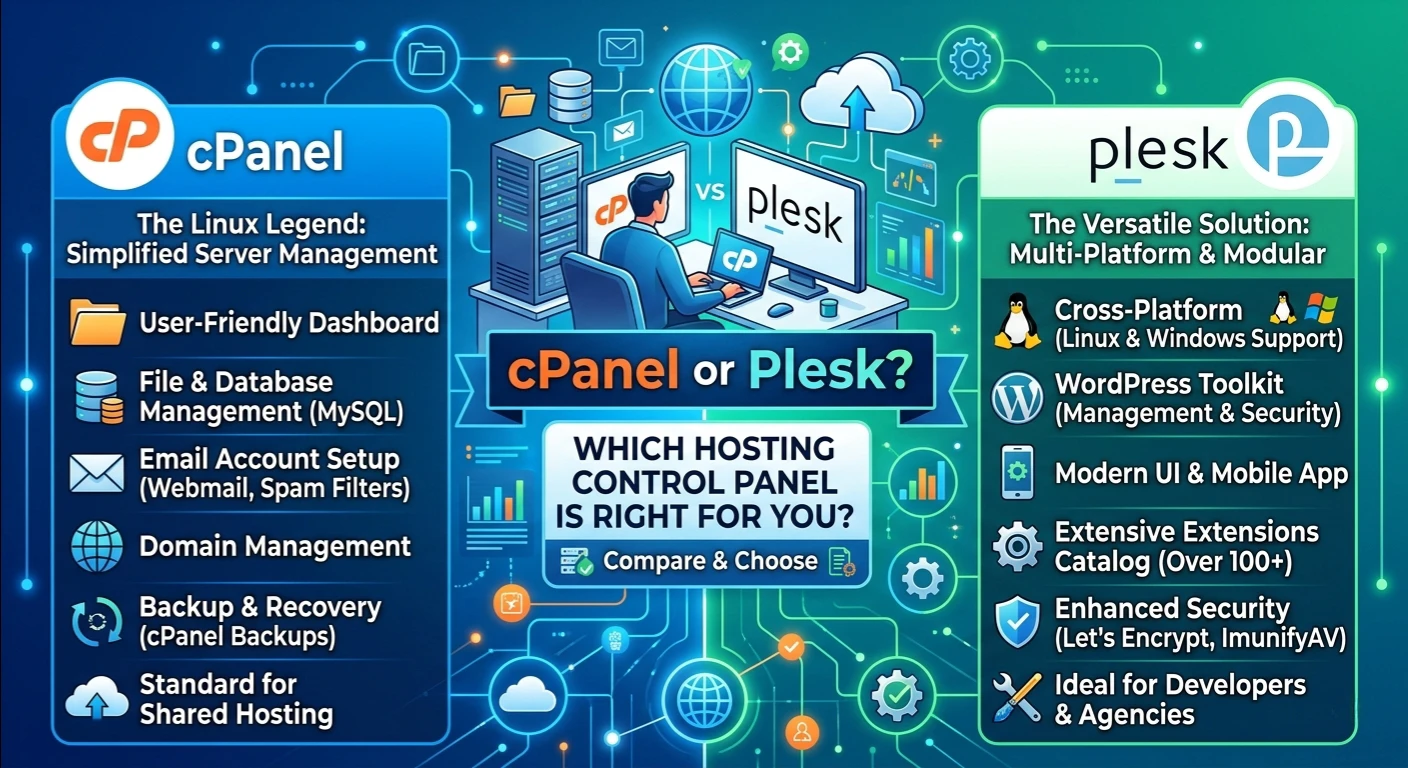
In the context of website management, the selection of an appropriate hosting control panel can turn out to be a real boon. There is a common question in the minds of many website owners, website developers, and businesses: cpanel or plesk? The two control panels are created to help make website and server control hassle-free, however each one provides various features that will draw in different users.
From individual blogs to eCommerce stores or multiple business websites, choosing the appropriate web hosting control panel can lead to time savings and better security and daily management of your website. Knowing the difference between these two popular platforms will help you understand what platform to choose based on your technical requirements and hosting environment.
What Are cPanel or Plesk?
As both the platforms are the dominant in the web hosting industry, the debate of which one is better, cpanel or plesk has been going on for years. They offer a graphical interface which means that they don’t require complex server administration, done by command line tools.
A good hosting management panel enables its users to control domains, emails, databases, files, backups and security settings from a single convenient panel. With a few clicks, users can complete most tasks without having to manually edit server files.
cPanel and Plesk are still evolving with the latest features which makes it suitable for both beginner and advanced admin.
What Is cPanel?
One of the most popular control panels in the world, particularly for Linux host providers is cPanel. It offers the web owner an easy-to-use interface and the host provider advanced administrative features.
cPanel is a popular Linux hosting control panel with features for:
- Domain management
- Email hosting management
- DNS management
- File manager access
- Database creation
- SSL installation
- Backup management
Due to its prolonged usage, numerous hosting companies bundle cPanel with shared hosts and VPS servers.
What Is Plesk?
Plesk is another popular server control panel application for Linux and Windows servers. It offers versatility to work on several operating systems among its greatest benefits.
Unlike cPanel, Plesk is a great Windows hosting control panel, and helps businesses build on Microsoft technologies like ASP.NET and Microsoft SQL Server.
In addition to WordPress management, Plesk also provides Docker integration and Git deployment support, as well as developer-friendly tools.
User Interface Comparison
The most significant criterion while choosing between cPanel or Plesk is usability.
cPanel differentiates between user and admin functions in separate interfaces. It is easy to get to know because of its structured folders of email, files, domains, or security.
Plesk has a more modern and neat website management dashboard that contains all websites, domains, subscriptions and server settings in one central place. Its user-friendliness is a popular feature.
For ease of use, both are good, but it depends on individual taste.
Operating System Compatibility
A second important factor is using operating system support.
cPanel is a base operating system for Linux. It is great with AlmaLinux, Rocky Linux and CloudLinux distributions.
Plesk is suitable for Linux and Windows servers, making it a more versatile hosting management panel for businesses that require a mix of hosting.
In case your website uses Microsoft technologies, then Plesk is typically the most suitable choice.
Website Management Features
cPanel and Plesk both make it easy to manage the administration of your website. Users can:
- Manage domains
- Create subdomains
- Configure redirects
- Install SSL certificates
- Manage website files
- Schedule backups
- Create databases
The inbuilt file manager simplifies the upload, editing and managing of files on your site — without needing any FTP software.
This is a handy feature for website owners who are constantly updating their websites.
Domain Management
The basic requirement for any website is to have proper domain management. You can use both cPanel and Plesk to:
- Add domains
- Manage addon domains
- Configure parked domains
- Create subdomains
- Manage DNS records
- Set redirects
The domain tools are employed to manage multiple websites from a single hub.
Email Hosting Management
Email is still a critical tool for businesses. Control panels provide strong email hosting management features that enable users to:
- Create email accounts
- Configure autoresponders
- Set forwarding rules
- Manage spam filters
- Create mailing lists
- Configure webmail
With no other software, managing business email is much easier.
DNS Management
It is important to have correct DNS management for every hosting account. Both cPanel and Plesk allow administrators to edit:
- A Records
- MX Records
- TXT Records
- CNAME Records
- AAAA Records
These tools assist websites link appropriately with domains, email services, and 3rd party applications.
Some Of The VPS Control Panel Features
If you’re running a business with a virtual private server, it’s crucial to choose a trustworthy VPS control panel. cPanel and Plesk both platforms make server management easy with their graphical tools for:
- Server monitoring
- Resource management
- Software installation
- User account creation
- Security settings
Administrators can use an intuitive interface to manage servers instead of having to configure each one individually.
Dedicated Server Management
For organizations with their own servers, they need reliable and sturdy dedicated server management. Advanced administration tools are available for both of the control panels and they offer the following:
- Multiple hosting accounts
- Resource allocation
- Security configuration
- Backup scheduling
- Website isolation
- Server maintenance
These features are important for hosting companies to make use of when handling hundreds of customer websites.
Cloud Hosting Panel Support
Cloud is the backbone of modern web hosting. cPanel and Plesk are both dependable cloud hosting panels that can be integrated into cloud environments, support automated deployment, scalability, and centralized management.
One of these control panels is often included by cloud hosting providers to make management for customers easy.
Security Features
There is no room for neglecting website security. Both platforms come with a wide range of security features, such as:
- SSL certificate installation
- Firewall support
- Password protection
- Two-factor authentication
- Malware scanning
- Automatic updates
- IP blocking
Regularly updating the control panel helps to minimize security risks and prevent the loss of sensitive data in the website.
cPanel and Plesk: Which One is Easier for Beginners?
When opening a new website, many of the website owners are inclined towards selecting whichever interface that is more comfortable to them.
Decades of cPanel present a vast number of tutorials, guides and videos online.
Users with multiple websites will benefit from Plesk’s cleaner interface and simplified navigation. Both are easy to use for website maintenance.
Performance Considerations
The quality of the control panel is not the determining factor for performance; it’s the quality of the server and hosting.
cPanel and Plesk are both very efficient in using system resources and also performing well when it comes to performance on modern hosting environments.
The hosting provider will likely have a more profound impact on the speed of your website than either of these platforms.
Pricing Differences
The cost of the license for cPanel will differ from Plesk in response to:
- Number of domains
- Number of accounts
- VPS licensing
- Dedicated server licensing
Many users don’t end up buying these licenses separately as they are usually packaged into a hosting plan by the hosting provider.
For enterprises who have numerous websites, they ought to weigh licensing options before making their choice.
Which One to Pick?
This is contingent upon the hosting environment you’re in. Opt for cPanel if you:
- Use Linux hosting
- Are you looking for a wide range of hosting compatibility?
- The user would like to have a familiar interface.
- Needing lots of community help
Use Plesk if you:
- Use Windows servers
- Run Linux and Windows systems
- Choose a modern dash.
- Need developer-focused tools
Both are great options for business website management.
Final Thoughts
There is still a debate about whether to use cpanel or plesk as both have excellent website management features. If you’re in need of a reliable web hosting control panel for your personal site, or a robust hosting control panel for your enterprise server, either of these options may help you.
For those who host on a Linux platform and appreciate the broad compatibility, cPanel is still a great choice. Plesk is impressive, too, for those who need cross-platform support between Windows and Linux, and want to have a modern website management dashboard.
In the end, it’s a matter of the operating system, technical needs, web hosting company and future plans for website management. Remembering the benefits of each platform helps you to choose the control panel that best suits your online needs and makes it easier to manage your domain, manage email accounts, manage DNS and generally handle everyday operations with a streamlined file manager.