
This is different from a few years back when gaming on Linux was a hassle, often requiring workarounds, broken drivers and endless hours of Googling 2am error messages. This is no longer the case. With Steam Deck’s Proton, and a community that continues to enhance the situation, Linux is a solid gaming platform. Now the difficult part is deciding which of the distros to install.
If you’re looking for the fastest and easiest Linux distros for gaming, you’re going to have a long list of choices and each will claim it’s the fastest/easiest. I have had a lot of time to switch back and forth between them, running them on a variety of hardware, and this guide discusses what actually matters that is, how each distro performs, how easy it is to set it up, and who it suits.
Why Are Gamers Moving to Linux?
Let’s discuss why the change is now appropriate.
First, the Linux version has gained a lot of compatibility with games. Proton is a compatibility layer included in Steam that enables thousands of Windows-only games to run on Linux platforms, with minimal or no modifications. A community database, ProtonDB, rates games based on their ability to run: a significant proportion of the most popular games can be played.
Second, Linux gaming performance can be at par with Windows and in some cases better. Avoid all the background bloat that is inherent in the Windows Operating System, no forced kernel updates to the middle of a session, and newer kernels with scheduling improvements that focus on improving the responsiveness of the desktop.
Running Linux for more than gaming? Read our guide on Linux or Windows Server to pick the right OS for your business.
Thilrd, there’s control. It is up to you what software can run on your machine. No ads in the Start menu, no telemetry you can’t turn off and no feature you didn’t ask for.
There’s one significant exception. There are some multiplayer games that still don’t allow access to Linux without kernel-level anti-cheat. Look at your ‘must play’ list before you format your hard drive.
What Makes a Good Gaming Distro?
Not all distros are created for gamers. The ideal gaming operating system for Linux is typically the one that has these features:
- Graphics drivers that are up to date: Mesa updates for AMD and Intel, and easy installs for NVIDIA.
- A recent kernel: Newer kernels provide more up-to-date hardware support and performance.
- Preinstalled or one-click tools: Steam, Lutris, Heroic Games Launcher, GameMode, and MangoHud are all preinstalled or available for a single click.
- Stability: A distro that fails after each and every update will cost you playing time.
- A helpful community: There are good forums and wikis in existence when something goes wrong.
The Distros that You Should Consider
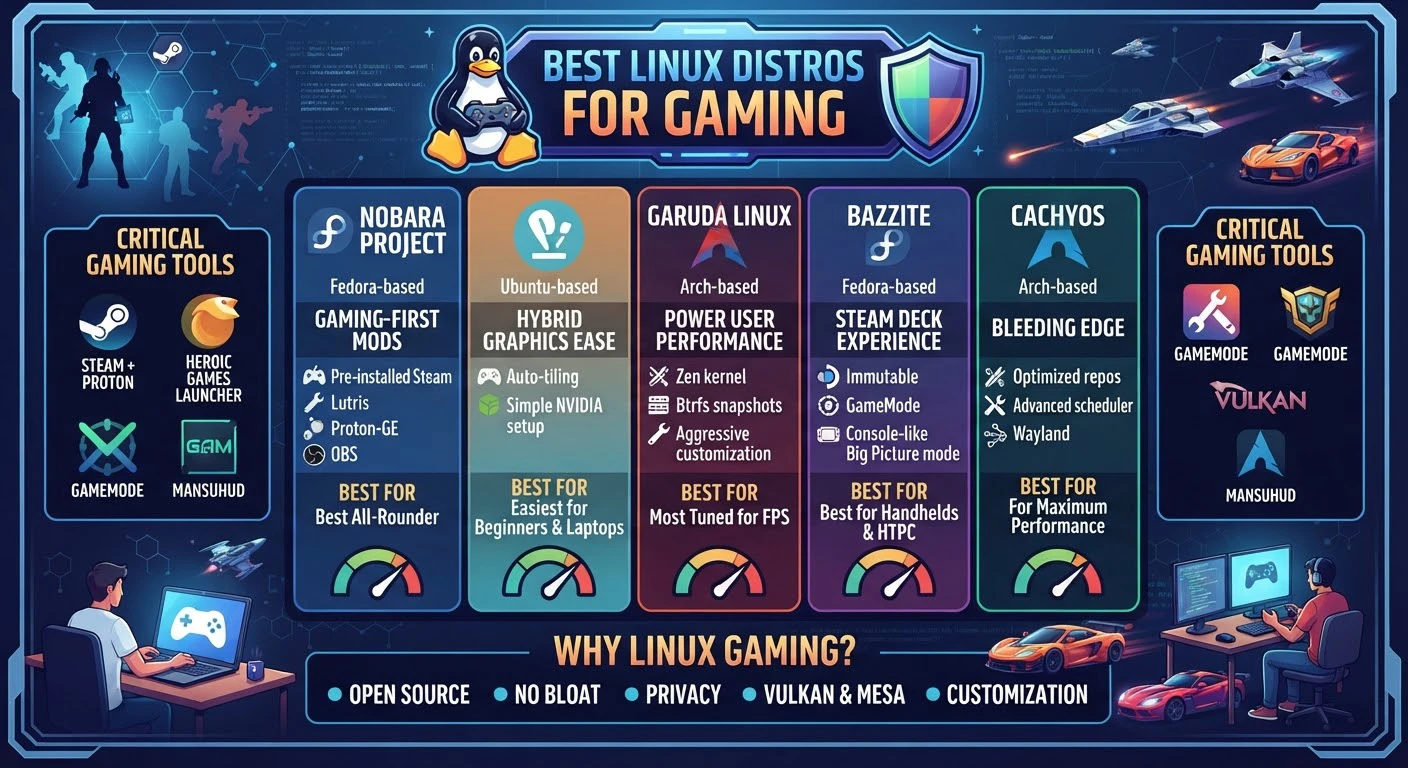
1. Bazzite Linux
If I had to recommend one thing to them I’d say Bazzite. The base of Bazzite Linux is Fedora’s atomic (immutable), which means that the core system is read-only and updates are applied as a whole image. In case of an update failure, you roll back to the previous version at boot time. Just that kills a lot of the anxiety from updates.
Bazzite ships with Steam, Steam games kernel patches, HDR support, and drivers ready to go, including an image for NVIDIA cards. It also features a “deck” option to launch directly in Steam’s Big Picture mode, making it a great living-room PC and handheld such as the ROG Ally or Legion Go SteamOS alternative.
Best for: The beginner, Handheld owners, and the one who wants things to just work.
2. Nobara Linux
Nobara Linux is developed by GloriousEggroll, creator of the widely-used custom distribution Proton-GE. It’s just a bit of evidence of its priorities. Nobara packages Fedora plus the fixes, codecs, etc… which gamers typically need to add manually.
Unlike Bazzite, Nobara is a traditional (non-immutable) system, which means that you have more freedom in changing things under the hood. It is easy to install OBS for streaming, multimedia codecs, and NVIDIA drivers. For those looking to get an unofficial Fedora gaming edition, there isn’t much better than Nobara.
Ideal for: Gamers who prefer fewer manual steps and streamers.
3. CachyOS
Many enthusiasts have migrated to CachyOS gaming because of its performance. CachyOS is a variant of Arch Linux, but compiles all its packages with optimisations for newer CPUs, and provides custom kernels with various schedulers. In reality this can translate to better frame rates and a faster desktop, particularly when running on newer machines.
There is also a friendly graphical installer, which eliminates the main hurdle of Arch. You still have the Arch User Repository (AUR) and rolling updates, meaning that you will always have fresh software.
Ideal for: Use by performance chasers, and by users who are comfortable with a little maintenance.
4. Pop!_OS
Pop!_OS for gaming has been a popular choice for years, in part due to the fact that it comes with System76’s dedicated ISO which also includes the NVIDIA drivers. That’s significant for NVIDIA owners who do not wish to hassle with the drivers.
Pop!_OS is based on Ubuntu, and the majority of guides and programs created for Ubuntu apply to this distro as well. Meanwhile, System76 has been developing its own Rust-based, modern, tiling desktop environment, COSMIC.
Best for: NVIDIA users, laptop gamers, and those who desire a clean and professional desktop.
5. Garuda Linux
The very first time you boot up a Garuda Linux gaming build, you will notice that it is significantly different. The default KDE theme is bold and flashy, and comes with Zen-OS and performance tweaks and a setup assistant for gaming machines that installs launchers and tools!
Garuda is also based on Arch, and runs Btrfs with automatic snapshots, allowing you to revert to a previous update from the boot menu in case of a bad update. It is a fun distro, but may be too visual for older machines.
Ideal for: Players who wish to play with style, performance and without manual configuration.
6. Ubuntu
While Ubuntu is not designed specifically for gaming, the idea of Ubuntu for gaming still exists. It is also the software that has the most users, almost all tutorials will include it and most Linux software is built on it first.
Ubuntu’s LTS releases will, however, be less up to date than other releases in terms of various drivers and versions of the kernel, which is problematic when you are using brand new GPUs. Sometimes it’s not been working properly with its Steam snap package, so many players install Steam another way. However, if you don’t care about the newest functionality, then Ubuntu is a solid foundation.
Best for: Those looking for the most guides and support should use it.
7. Arch Linux
plain Arch Linux Gaming is for those who like creating their own gaming setup. You have a base system and only install what you need. The Arch wiki is one of the best documentations in the Linux world, and the AUR provides you access to nearly any game tool you can imagine!
The compromise is time. There is more work involved with installation and maintenance, and you will have to deal with the consequences of anything that goes wrong. However, if you’re a nerd and enjoy learning and tinkering, there’s nothing else that lets you have more control.
Ideal for: Advanced users who prefer to build a complete system themselves.
Linux Gaming Setup Tips
Regardless of the distro you select, there are a number of habits that can make your Linux gaming experience a lot smoother:
- Always check out ProtonDB before purchasing games: Indicates the effectiveness of a title and what settings are useful for it.
- Install GameMode and MangoHud: GameMode increases performance during game and MangoHud displays FPS, temperatures and usage during game.
- For non-Steam games, use Lutris or Heroic: They support Epic, GOG and Battle.net games.
- If a game doesn’t behave, try Proton-GE: Frequently contains patches ahead of official Proton.
- If you’re a new builder of a Linux gaming PC, then choose AMD GPUs: AMD’s open-source drivers are included in the kernel and don’t require extra configuration (although NVIDIA support has definitely improved), but there are still some problems.AMD’s open-source drivers are in the kernel and do not have to be installed separately, although NVIDIA support has improved significantly, but there are still some issues.
Final Thoughts
The best Linux distro for gaming is debatable, because it may be a matter of preference. If you wish for something that requires no modifications, opt for Bazzite or Nobara. If you want maximum speed and are willing to do a bit of work, then you will be rewarded with CachyOS or Garuda. With Pop!_OS, NVIDIA owners will feel right at home, while tinkerers will have fun building their own system using Arch.
Need help setting up a Linux gaming or hosting environment? Our team is ready to guide you.