
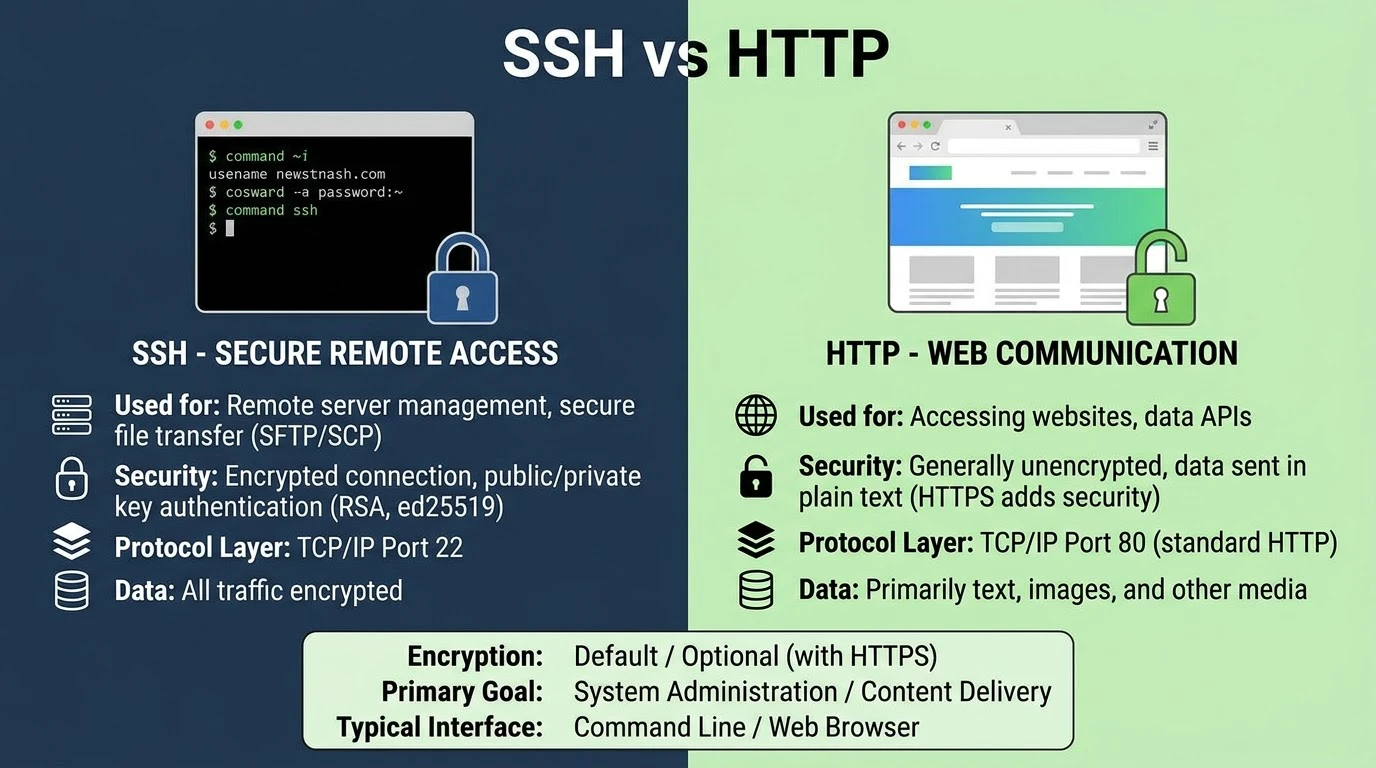
Anyone who has hosted a site or a server knows that they have likely had to use both of these at some point – and likely without considering the differences between them underneath the hood. One loads up the page you’re reading right now. The latter provides access to a remote computer system and enables another to use the remote computer as if they were sitting in front of it and were able to execute commands. SSH vs HTTP serve different purposes, so compare their roles in browsing and infrastructure management.
This article explains each protocol, how they manage security and why you would use one rather than the other.
What Is HTTP?
The application layer protocol for the Web is HTTP — HyperText Transfer Protocol. Whenever users request a page, their browser makes an HTTP request to a web server and receives an HTTP response, typically consisting of HTML, images or data. A client-server communication is a request-response communication model, that is, one asks for something, one receives something in return.
HTTP is stateless by design; there is no memory for previous requests, it does not have a built-in memory. This simplicity makes HTTP the web’s backbone, while cookies and sessions help sites remember users.
By default, HTTP traffic occurs on the HTTP port (80) and in clear text. That’s really important, and that’s why things that deal with sensitive information are now always on HTTPS: the encrypted version, via HTTPS port 443.
What Is SSH?
The problem solved with SSH, Secure Shell, is a different one — secure remote access to a machine. As opposed to asking for a webpage, SSH provides a secure remote server management, allowing you to run commands on a remote machine as if you were there.
By design, SSH runs on SSH port 22 (by default) and has been designed from the beginning to use encryption, not as an after-thought, as was HTTP/HTTPS. Each SSH connection encrypts all the session – authentication, commands and anything transmitted during the session.
SSH is also used as the underlying protocol for secure file transfer protocols such as SFTP and SCP, which use the same encrypted connection to SSH as a secure file transfer protocol, instead of relying on an unencrypted file transfer protocol such as the original FTP.
SSH vs HTTP
| Aspect | SSH | HTTP |
| Successful motion | Access to or execution of remote server commands | Accessing and transferring web content |
| Default port | 22 | 80 (443 for HTTPS) |
| Encryption | Built in by default | Not encrypted (HTTPS adds it) |
| Persistent session, interactive session | Request-response, stateless session | |
| Target users | Membership: System administrators, developers, anyone surfing the web | |
| Typical applications | Website loading, API loading, web applications | Server management, deployments, remote access to servers |
They’re both application-layer protocols on top of the TCP protocols of reliable data delivery, but that’s where they really diverge: One is for browsing and data transfer, the other is for remote-control of a machine.
Security
The main confusion comes from comparing raw HTTP security with SSH security, but HTTP was never designed to provide security on its own.
SSH automatically encrypts connections. It creates a secure, encrypted channel before authentication or commands begin, so all SSH operations run securely.
There is no HTTP encryption in plain old HTTP, however. HTTP sends data in plain text, making it readable to attackers. HTTPS secures HTTP by encrypting data with TLS.
Comparing encrypted SSH to unencrypted HTTP is an unfair comparison, so a more accurate comparison is SSH vs HTTPS. With HTTPS thrown in, both protocols provide good encrypted communications, so the question now is one of what they’re encrypting and why, rather than whether they are encrypted.
SSH Authentication
This is a brief discussion on authentication SSH Key Authentication vs Password Authentication.
There are two main types of authentication for SSH, and they’re important for security.
The advantage of password authentication is that it’s easy to set up, but it’s susceptible to weak passwords, credential stuffing and brute-force attacks. Most server administrators completely disable it on their production systems.
The SSH key authentication relies upon the use of a cryptographic key pair, rather than a password: the private key remains on the machine, and the public key is stored on the server. Much harder to brute force and the typical advice for any production SSH server configuration. It can be used together with the complete disabling of password authentication and it renders one of the most prevalent modes of attack on an exposed server unworkable.
The authentication is different with HTTP — in some cases it may be a session cookie, API Token, OAuth, or basic authentication header. These are all fundamentally different from SSH’s key-based authentication, as they are addressing authentication for a multi-user, stateless web environment — not for a single administrative session.
SSH Tunneling
A major advantage of SSH over a remote access application is the capacity to send other traffic over an encrypted SSH connection, SSH tunneling. This is usually done to:
Access and control internal services (such as databases or admin panels) securely, but not directly through the internet.
Protect network traffic like a VPN on untrusted networks
Forward ports from the local machine to a remote machine for testing or debugging
This is something which HTTP can’t do on its own — HTTP transports web content; SSH tunneling can transport nearly any TCP traffic through its encrypted channel, and this is why it’s a fundamental tool for developers and system administrators long after it’s outgrown the days of “log in to a remote system.
SSH or HTTP?
In practice these protocols are not competing for the same work, but it helps to understand the difference between them when making the comparison:
When you need direct management of a server, such as deploying code, editing configuration files, restarting services, or transferring files securely between servers, use SSH.
Use HTTP/HTTPS for web services and browser-based applications. Use SSH to manage and administer the server.
Network Protocols
To begin with, the following is a brief note on the subject of network protocols in general.
SSH and HTTP run at the application layer over TCP. HTTP enables open, large-scale content delivery, while SSH provides secure, authenticated access to specific machines.
FAQs
1. Is it more secure to use SSH than HTTP?
Comparing SSH to plain HTTP isn’t a fair comparison since HTTP has no built-in encryption. Against HTTPS, both provide robust security – the difference is what they do, not which is “more secure” on its own.
2. By default, SSH uses what port?
SSH is the port 22 by default, but sometimes it is changed by the administrator to minimize the number of automated scans to the default SSH port.
3. Is there a way of using SSH to transfer files?
Yes. SFTP and SCP both operate in conjunction with SSH and are able to transfer files in a secure way without requiring an unencrypted protocol.
4. Why is it recommended to use SSH key authentication, rather than passwords?
SSH key authentication is much more secure than password authentication, and the preferred method for production servers.
5. Are websites based on SSH?
Not for serving content, websites serve content using HTTP/HTTPS. Most of the time, SSH is employed in the background by administrators and developers, who are managing the servers that host those websites.
Final Thoughts
The rivalry part of SSH vs HTTP is not that great — it’s simply two tools to solve two different problems. HTTP or HTTPS delivers web content to users for browsing. The folks that run the infrastructure behind that content get in to manage it securely by means of SSH. The difference is not as important as trivia, but for anyone who is responsible for the accessibility and security of a server and the site running on it, it is of practical importance.